- The schedule is a plan: when the employee should be at work. A schedule alone does not prove that the work was done.
- A mark is an event: a card was read, a cashier recorded the start of the working day or an employee submitted time in the portal.
- A shift is a pair of arrival and departure, minus the breaks that do not count as working time.
- The working-time sheet is the month's summary per employee, and it is what payroll uses.
- The payslip is the calculated pay with taxes. The TSD declares the payment, not the hours.
Time tracking and payroll in Estonia: from timesheet to payslip.
What reaches payroll from time tracking is the approved monthly working-time sheet: hours worked, overtime and night and public holiday hours for each employee. Before payroll is approved you resolve missing and unclear entries, check the extra hours against what was agreed and only then calculate the pay; the pay is declared in the TSD for the month in which it is paid out. This guide follows that path from schedule to payslip, lists the checks to make before closing the month and the common mistakes, and shows how the same work is done in Saldofy.
If you are looking for software that keeps the schedule, card reader and payroll together, see Saldofy time and attendance.
What the law requires of working-time records.
Under § 28(2)(4) of the Estonian Employment Contracts Act (töölepingu seadus, TLS) the employer must ensure the agreed working and rest time and keep a record of working time. The Labour Inspectorate's Tööelu portal explains that the record is needed above all to calculate pay and to observe the limits on working and rest time. It must at least contain the hours worked each day, sick days, holiday days and other days of absence.
The law does not prescribe a format: a paper sheet, a spreadsheet, an access control system or software will do. For payroll what matters is that every hour is linked to an employee and a date, and that you can see which hours are ordinary work, which are overtime and which fell at night or on a public holiday. Without that split you cannot calculate the supplements correctly or show later where the amount on the payslip came from.
Schedule, mark, shift, working-time sheet and payslip.
There are several layers of data between working time and pay. When they get mixed up, the plan is paid instead of the work actually done, or presence including the lunch break ends up as paid time.
The layers also help you find mistakes. If a payslip shows the wrong number of hours, look for the error on the working-time sheet first, then in the shifts and only after that in individual marks.

The path from working-time sheet to payslip.
Every month follows the same order. The steps are separate because each has its own owner and its own mistake that the next step can no longer fix.
The TSD works on a cash basis: October pay that is paid out on 5 November belongs to the November TSD, which is due on 10 December. Keep the pay period and the payment date apart: working time belongs to the month it was worked, the declaration to the month of payment.
- 1. Build the month's schedule and mark the known absences on it: holiday, sick leave and other work interruptions.
- 2. Collect the actual time: card reads, employees' own entries or confirmation that a day went as scheduled.
- 3. Resolve the exceptions: missing departures, unknown cards, pending submissions and overlapping times.
- 4. Prepare the monthly working-time sheet and check ordinary hours, overtime and night and public holiday hours.
- 5. Calculate the pay and review each employee's hours, supplements and employer cost in the preview.
- 6. Approve payroll, pay the wages and send the payslips.
- 7. File the TSD by the 10th of the month after the month of payment.
How to classify hours: night work, public holidays and overtime.
Under § 45 of the Employment Contracts Act the employer pays 1.25 times the wage for work at night (22:00–06:00), unless it has been agreed that the wage already includes pay for night work, and twice the wage for work on a public holiday. Instead, the parties may agree on compensation with additional time off. Under § 44 overtime is compensated with an equal amount of time off unless monetary compensation has been agreed; in money it is paid at 1.5 times the wage.
Two examples. A six-hour evening shift from 17:00 to 23:00 gives one night hour (22:00–23:00). If an employee works as scheduled on 25 December from 08:00 to 16:30 with an unpaid half-hour lunch break, they have 8 public holiday hours.
The hourly rate of a monthly salary is derived from the month's working-time fund. In December 2026 the norm for a full-time employee is 162 hours: 21 working days times 8 hours, less three hours each on 23 and 31 December, because under § 53 the working day before Christmas Eve and before New Year's Day is shortened. Christmas Eve and Christmas Day are public holidays, so there is no norm on those days. The fund changes every month: if you divide a monthly salary by the same number of hours every month, the supplement comes out too high in one month and too low in another.
Summarised working time: overtime is settled at the end of the period.
Under summarised working time the agreed working time is counted over the accounting period (TLS § 43(3)), and overtime is work above the agreed working time at the end of the accounting period (§ 44(1)). According to the Labour Inspectorate the accounting period may be up to 4 months. Total working time may not exceed an average of 48 hours per seven-day period over an accounting period of up to four months (§ 46(1)).
Example: an employee has a three-month accounting period from October to December 2026. The full-time norm is 176 hours in October, 168 in November and 162 in December, 506 hours in total. If approved working time over the period comes to 520 hours, 14 hours are work above the norm and they appear on the December working-time sheet. The October and November sheets show no such overtime, even though the employee worked more than the norm in those months. Night and public holiday hours are still paid with the pay for the month in which they were worked.
If the employee does agreed overtime on top of the schedule, record it separately and pay it in the month it was worked. That way the same hour is not paid twice: once as separate overtime and again in the settlement at the end of the period.
Checks before closing the month.
Once payroll is approved and wages are paid, every correction to hours becomes a payroll correction. So it pays to go through these questions before you click the approve button.
- Every day the employee worked according to the schedule has actual time or a confirmation; an unmarked day is not a day worked.
- No arrival is missing a departure, and no shift is unusually long without a reason.
- All cards belong to the right employees, and a new employee's card has not been left unknown.
- Time and overtime submitted by employees have been approved or rejected with a reason.
- Holiday, sick leave and working time do not overlap on the same day.
- A working day of more than 6 hours has a break of at least 30 minutes (§ 47(2)), and there are at least 11 consecutive hours of rest in every 24 hours (§ 51(1)).
- Night and public holiday hours match the shift times, especially for shifts past midnight and on the night the clocks change.
- Overtime matches the agreement: compensated in money or with time off.
- An employee on summarised working time has the right accounting period and first month, and work above the norm is only calculated at the end of the period.
- The working-time sheet of an hourly-paid employee shows actual hours, not a forecast from the schedule.
- A minor's working time, night work and rest time respect the limits for their age.
Common mistakes between working time and pay.
Most mistakes do not come from the calculation but from the wrong input going into payroll. These are the most common:
- The schedule goes into payroll as actual time without being checked, although someone was ill or swapped a shift.
- Presence is counted as working time including a lunch break that does not count as working time.
- Night hours are counted only up to midnight and the part after midnight is left out.
- For a shift that runs into a public holiday nobody has agreed whether the supplement covers only the part on the holiday or the whole shift, and it is done differently from month to month.
- An employee on summarised working time is paid overtime every month, although it is only settled at the end of the accounting period.
- Overtime is paid at 1.5 times although compensation with time off was agreed, or the other way round.
- The hourly rate of a monthly salary is calculated from the same number of hours every month, although the month's working-time fund changes.
- Hours of an approved month are changed afterwards so that the payslip and the TSD no longer agree.
- The TSD month is chosen by the pay period, not by the payment date.
How Saldofy does it.
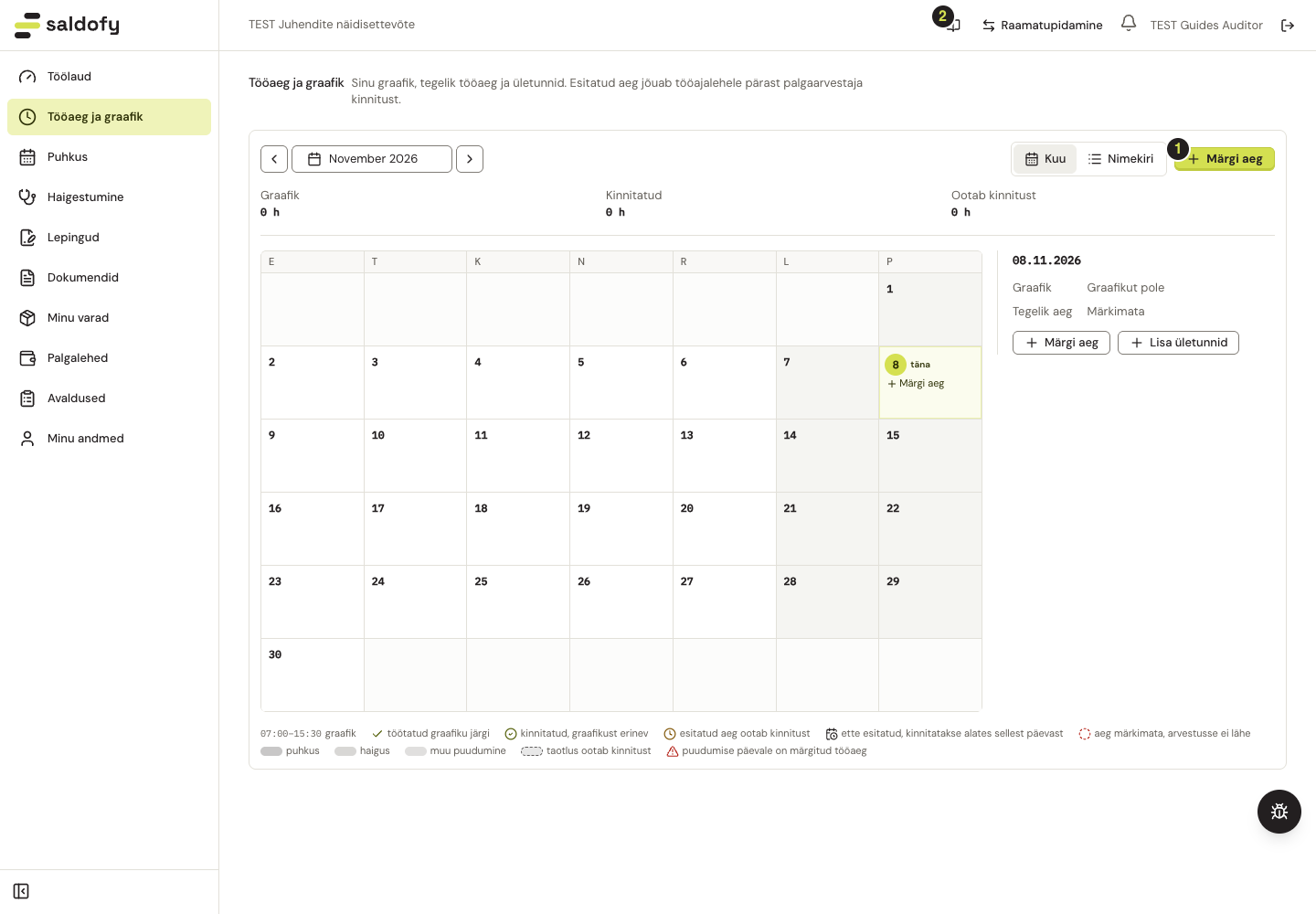
In Saldofy the shift schedule, card reader, employee portal, working-time sheet and payroll are in the same program. The shift schedule shows each employee's planned and actual time side by side. Actual time comes from the card reader (a reader with Wiegand 26 or Wiegand 34 output), from the Working time menu in the POS system or from the employee portal, where employees mark their time, add overtime or confirm days as scheduled. Payroll can turn past scheduled days into actual time with Confirm as scheduled.
Exceptions stay on the card reader's Review tab and in the shift schedule: Departure not recorded, Unknown card, an unusually long shift and Needs fixing. Apply correction shows a preview before anything changes and asks for a reason, a read added by hand also needs a reason, and the original time of a read is always kept.
At month end Derive working-time sheet writes the hours along the same path as manual entry. Night, public holiday and rest day hours are derived from the shift times, overtime for employees on summarised working time is settled in the last month of the accounting period, and separately recorded overtime goes onto the sheet of the month in which it was worked. The hours on the working-time sheet can be reviewed and changed before approval.
Payroll pays the supplements on the basis of monetary compensation: overtime at 1.5 times, night hours at 1.25 times and public holiday hours at twice the wage, and adds the supplements together, so overtime on a public holiday is paid at 2.5 times the wage. The hourly rate of a monthly salary comes from the month's working-time fund. If the period still has unresolved reads or unapproved shifts, the approval dialog shows how many. Approval locks the working-time sheet and posts the payroll entry, and the TSD is prepared from the approved payslips and sent over X-tee or as a file.
What to check in official sources.
The current text of the Employment Contracts Act is in Riigi Teataja, the official gazette, and the Labour Inspectorate's guidance on working time is on the Tööelu portal. TSD deadlines and forms are published by EMTA, the Estonian Tax and Customs Board. If a collective agreement or employment contract sets conditions different from the law, for example compensation with time off or night pay included in the wage, follow them and check before approval that the working-time sheet reflects them.
Sources and further reading
Related product views.

More guides.
See one month of working time and payroll in Saldofy.
In the demo we go through the schedule, card reads, review of exceptions, the working-time sheet and payroll up to the TSD. Bring an example of your schedule and your reader models.