- 1. Master data: the employee record, contract, pay, basic exemption application, funded pension rate and bank account.
- 2. Working time and absences: the timesheet, shift schedule, vacations and sick leave.
- 3. Calculation: gross pay, deductions, net pay and employer cost in the preview.
- 4. Approval: payslips are locked and a payroll entry is posted to the general ledger.
- 5. Payment: the bank payment and payslips for employees.
- 6. TSD: the return for the month of payment, due by the 10th of the following month.
The payroll workflow in Estonia: from employee data to payslips, payment and TSD.
The payroll workflow follows the same order every month: check employee master data, approve working time and absences, calculate pay and review the preview, approve the payslips, pay the wages and file the TSD for the month in which you paid. Each step is a separate action: an approved payslip is not yet paid, and a payment file sent to the bank is not yet a tax return. Below, each step is explained with its checks and common mistakes, how the same work is done in Saldofy, and the criteria for choosing payroll software in Estonia.
If you are looking for payroll software that keeps working time, payslips, bank payments and TSD in one place, see Saldofy payroll.
A payroll month in six steps.
Payroll is more than working out net pay. An employer in Estonia has to withhold taxes from wages, pay the wages, declare and pay the taxes, and record payroll in the books. When these steps happen in different spreadsheets and programs, mistakes usually appear at the hand-offs: hours stay in a spreadsheet, the payment file goes to the bank with an old account number, or the TSD is prepared for the wrong month.
A good workflow keeps the steps separate and checkable. After each step it is clear who did what and what is still open:

1. Check employee and contract master data.
Most payroll errors are not calculation errors but data errors. For a new employee, check that the employment is recorded in the Estonian employment register (TÖR) and that the start date, workload and pay match the contract. In Saldofy you can choose “Check in TÖR” on the employee record: if Saldofy and the register differ, you see the differences and can send the change to the register.
The employer applies the basic exemption (maksuvaba tulu) only on the employee's written application. Without an application, income tax is withheld from the whole income. In 2026 the basic exemption is the same monthly amount for everyone, regardless of income. An employee of pensionable age has a separate, higher exemption that replaces the general one rather than adding to it. The funded pension (II pillar) contribution is 2% unless the person has chosen a rate of 4% or 6%. If the person has no contribution obligation, for example has not joined the II pillar or has applied to be released from the contribution or to withdraw the money, no funded pension contribution is withheld from their pay.
If pay, workload or tax data changes in the middle of a month, the change needs an effective date. Saldofy calculates a mid-month pay rise by dates and keeps the history of tax data as a timeline on the employee form.
- the employee is in the employment register and the data matches
- the basic exemption application exists, and you know from which date it applies
- the funded pension rate is correct
- the bank account is correct and belongs to the employee
- current deductions (garnishment orders, maintenance support, employer claims) are recorded with their source documents
- a leaving employee has an end date, so the final settlement can be calculated
2. Approve working time and absences before calculating.
A monthly-paid employee's pay depends on the working days and absences in the month; an hourly or piece-rate employee's pay depends on actual hours or units. That is why working time is approved before pay is calculated, not after. Saldofy does not let you approve the payslip of an hourly or piece-rate employee on forecast hours or units: the final payslip needs actual values.
Hours come from the timesheet. You can fill it in by hand, import it from a CSV or XLSX file, or derive it from the shift schedule, where Saldofy works out night hours (22:00 to 06:00) and hours worked on public holidays from shift times. Employees can also record their time in the employee portal, but submitted time reaches the timesheet only after the payroll accountant approves it. With a card reader, remember that presence is not the same as paid working time: readings become shifts, breaks are deducted according to the company's break schedule, and unclear readings stay in review.
Enter absences in one place before calculating: vacations, sick leave, care leave, study leave and other work interruptions. Saldofy reads them from there: monthly pay is reduced for the absence and holiday pay or sickness benefit is added to the payslip as a separate line, so the same day is never paid twice. Holiday pay is calculated from average pay under Government Regulation No. 91. For illness and non-occupational injury, the employer pays sickness benefit for days 4 to 8; from then on, the Health Insurance Fund (Tervisekassa) pays.
- all time and leave requests submitted in the employee portal are approved or rejected with a reason
- unclear card reader readings are resolved
- open-ended sick leave is marked and closed later
- overtime, night work and public holiday work are on the timesheet
- holiday pay goes on the payslip before the vacation or, where the employment contract says so, with the next pay
3. Calculate pay and review the preview.
The calculation uses the tax rates in force on the payment date and the employee's tax data. Saldofy takes rates from a dated rate table; if rates are incomplete, the calculation stops instead of using default values. According to the Estonian Tax and Customs Board (EMTA), the 2026 rates are:
- income tax 22% after the basic exemption
- employee unemployment insurance 1.6%
- funded pension contribution 2%, 4% or 6%
- social tax 33% (employer cost)
- employer unemployment insurance 0.8%
Social tax has a minimum obligation: the employer pays social tax on at least the monthly base even when pay is lower. The exceptions are listed in EMTA's guidance, and Saldofy also takes into account the absences that reduce the obligation.
An example calculated with Saldofy's payroll engine (amounts in euros). An employee's gross pay is 2000, they have applied for the basic exemption and their funded pension rate is 2%. Unemployment insurance is 32.00 and the funded pension contribution 40.00. For income tax, these two contributions and the basic exemption of 700 are deducted from gross pay, so income tax is 1228 × 22% = 270.16. Net pay is 1657.84. The employer also pays social tax of 660.00 and unemployment insurance of 16.00, so the total employer cost is 2676.00.
In the preview, review each employee's pay lines, absences, deductions and employer cost. Compare the result with the previous month and look into larger differences. Do not adjust the result by hand to match an older spreadsheet: first find out which one is wrong. If you need to stop halfway, save the period as a draft: hours and the payment date are kept, but no payroll run is created yet.
4. Approve payslips and decide who approves.
Approval makes the calculation official. In Saldofy, “Approve payroll” locks the payslips and the timesheet and posts the payroll entry to the general ledger. Before that, review the “Before calculating payroll” card: a red line blocks approval, a yellow one is a recommendation.
In a small company, the same person often calculates and approves pay. If an accounting firm runs payroll or the company wants a four-eyes check, separate approval can be switched on in the payroll settings. One person then prepares the calculation and another approves it: the preparer cannot approve their own run, the approver must have authenticated recently, and the company can require several approvals from named approvers. Approvers are notified that a run is waiting for them.
5. Pay wages and send payslips.
On the approved period's row, press “Pay” and choose the payslips, the payment date and the bank account. Before you pay, Saldofy already shows which month's TSD the payment belongs to and when that return is due. If the company has a bank connection in Saldofy, “Pay from the bank” sends the payment order straight to the bank. Payslips are marked paid, and the payment entry is created, only once the bank has executed the payment. A company without a bank connection downloads a SEPA XML file, pays in its internet bank and then chooses “Mark as paid manually”.
Creating a payment file does not prove the money has left. If the bank rejects some payments, for example because of a daily limit, Saldofy marks those lines as rejected and the payslips become payable again. Check the actual payment date, because that is what determines the TSD month.
You can e-mail payslips immediately or automatically after the bank has executed the payment. The payslip goes to the employee's personal e-mail, or to the work e-mail if there is no personal one, and the employee can also download it from the employee portal. An issued payslip stays exactly as it was issued.
6. File the TSD by month of payment.
The TSD (the Estonian income and social tax return) works on a cash basis. Wages are declared in the TSD for the month in which they were actually paid, not the month they were earned. The return is due on the 10th of the month after payment. Example: September wages paid on 5 October 2026 belong to the October TSD, which is due on Tuesday 10 November 2026. Taxes are paid by the same date to the company's prepayment account with EMTA.
From payments made in October 2026 the TSD is data-based: payments are sent to EMTA line by line and the monthly return is confirmed separately. From October onwards the TSD page in Saldofy has two tabs: “Payments (APA)” lists the month's payments with their status, and “Monthly filing” guides you to the end of the return. If the company has granted an X-tee authorisation, you send payments from Saldofy straight to EMTA; a company without an X-tee connection uploads the file Saldofy prepares to e-MTA. The monthly return can be confirmed with an ID card, Smart-ID or Mobile-ID.
Payroll data alone does not cover the whole TSD. Fringe benefits, gifts and entertainment expenses, non-business expenses and dividends go into annexes from their own registers and must be confirmed before the month is filed. Downloading the XML file is not filing the return: after sending, check EMTA's response.
A salary advance is taxed when paid and goes on the payment month's TSD; the payslip deduction, the monthly rate and interim payouts are in the guide salary advance in Estonia: taxes and TSD.
Checks before closing the payroll month.
Before you treat the payroll month as finished, go through these points. They take a few minutes and save a correction later:
- every payslip is approved; if one is deliberately left unpaid, that is a conscious decision, because Saldofy does not close a payroll month with unpaid payslips without a separate tick
- the bank has executed every payment and rejected payments have been paid again
- the TSD payments match the paid payslips and EMTA has accepted the return
- the wages payable account balance makes sense after payment, and accrued payroll taxes are visible in the “Tax balances” report
- the holiday reserve entry has been posted at the chosen frequency
- no retroactive changes are waiting: the “View changes” button in the payslip warning bar shows what is open
- payslips have been sent or are available to employees in the portal
Corrections: fixing an error while keeping the trail.
An approved payslip is never overwritten. How you correct depends on how far the month has gone. If payroll is approved but not yet paid, you can “Reverse” the period and calculate it again. Once wages are paid, Saldofy does not allow a reversal because the money has already left the bank: choose “Add correction”, enter a reason and choose how to settle it. If the TSD for that payment month has been filed with EMTA, the payroll run cannot be reversed either.
A correction can be settled with the next pay or separately, as an additional payment or a claim against the employee. Setting off an overpayment against the next pay requires the employee's consent. If the general ledger period is locked, a correction is cancelled with an opposite correction. When the data of a month already filed changes, Saldofy sends EMTA only the differences as a correction.
Some changes take effect retroactively, for example a basic exemption application submitted late or a pay agreement that applies from last month. Saldofy records such a change as an immutable event, leaves the original payslip untouched and creates a separate correction run. Simple monthly pay and tax data changes are calculated automatically; cases with absences, hourly pay or supplements are held for manual review. A bonus outside the schedule is paid as a separate “Off-cycle payment” and end-of-employment amounts as a final settlement; both have their own row in the payroll periods table.
Common payroll mistakes.
These mistakes repeat in small companies and accounting firms alike. Most of them are prevented by a routine you follow every month:
- the TSD is prepared for the month the pay was earned, although it was paid out the following month
- the basic exemption application is missing, or the employee has given it to several employers
- an hourly employee's pay is approved on forecast hours and the actual hours arrive later
- time submitted in the employee portal is never approved and the pay comes out too low
- creating the payment file is treated as payment and a rejected bank payment goes unnoticed
- the XML is downloaded but the return is never confirmed in e-MTA
- a payslip is changed in a spreadsheet while the ledger and the TSD keep the old figures
- the social tax minimum obligation is forgotten for a part-time employee
How to choose user-friendly payroll software in Estonia.
User-friendly payroll software in Estonia is software that does the six steps above in one place, calculates Estonian taxes from current rates by itself and prepares the TSD straight from approved pay. The most reliable way to choose is to run one real payroll month in parallel with your current solution and compare net pay, taxes and TSD lines. Ease of use shows in how little data you have to move from one place to another during that month.
Saldofy is one of the solutions offered on the Estonian market. We do not rate other products here; we describe what Saldofy offers so you can compare it against the criteria below. Saldofy fits best when payroll and accounting need to live in the same place. If your books are kept elsewhere, check how the payroll entry gets there.
- payroll sits inside the accounting: approval posts the payroll entry by itself
- working time comes from the timesheet, shift schedule, card reader or employee portal
- the TSD is prepared from approved payslips and sent via X-tee or as a file
- bank payment through a bank connection or a SEPA XML file
- an employee portal with ID card, Mobile-ID and Smart-ID login
- the interface and the portal in Estonian, English and Russian
- the Free plan includes payroll and TSD for a small team; the exact number of employees and plan prices are on the pricing page
What features should good cloud payroll software include.
Good cloud payroll software calculates Estonian taxes by itself, reads working time and absences from one place, prepares the TSD and the payment file from approved pay and keeps every correction traceable. Being in the cloud means you do not install anything and rate changes come from the provider, but check whether rates are dated and whether an old month is still calculated by that month's rules later. Use this checklist:
- Estonian taxes from dated rates: income tax, social tax with the minimum obligation, unemployment insurance and funded pension
- handling of the basic exemption application and the rules for pensionable age
- monthly pay, hourly pay and piece rates, with supplements for overtime, night work and public holidays
- holiday pay and sickness benefit from average pay, and the vacation balance
- deductions: garnishment orders, maintenance support and a protected net amount
- a timesheet, a shift schedule and import of hours from a file
- data-based TSD via X-tee or as a file, with annexes for fringe benefits and dividends
- checks against the employment register (TÖR)
- bank payments and payslips for employees
- an employee self-service portal
- approval rights, an optional second approver and an audit trail
- corrections without overwriting the original payslip
- a payroll entry in the books without manual re-keying
How to compare payroll software in Estonia.
Compare payroll software on the same payroll month, not on feature lists. Pick a more complex month: someone is on vacation, someone is ill, someone works overtime and the pay is paid out in the following month. Then ask these questions about each solution:
- Tax calculation: are rates dated, and does the calculation stop when rates are missing?
- TSD: is the data-based TSD supported, can it be sent via X-tee, and how do corrections work?
- Working time and absences: do hours come from the schedule or timesheet, and do vacations reduce monthly pay automatically?
- Accounting: is the payroll entry posted on approval, or must it be carried into another program by hand?
- Bank payment: can the payment go through a bank connection, and does marking it paid depend on the bank executing it?
- Approval and rights: can the preparer and approver be different people, and are actions kept in an audit log?
- Corrections: does the original payslip stay, and can a correction be settled with the next pay?
- Employee view: can employees see their payslips and vacation balance themselves, and in which languages?
- Switching: can active employments be imported from the employment register, and can history come along?
- Price: how does the price depend on the number of employees, and which modules are in the plan?
Payroll in Saldofy in short.
This is how the same work runs in Saldofy. On the first visit, payroll takes you to the settings page where you confirm the payday.
- Open “Payroll and HR settings”, confirm the payday in the “Pay day” section and review the “Before calculating payroll” card.
- Add employees under “Employees” or import active employments from the employment register.
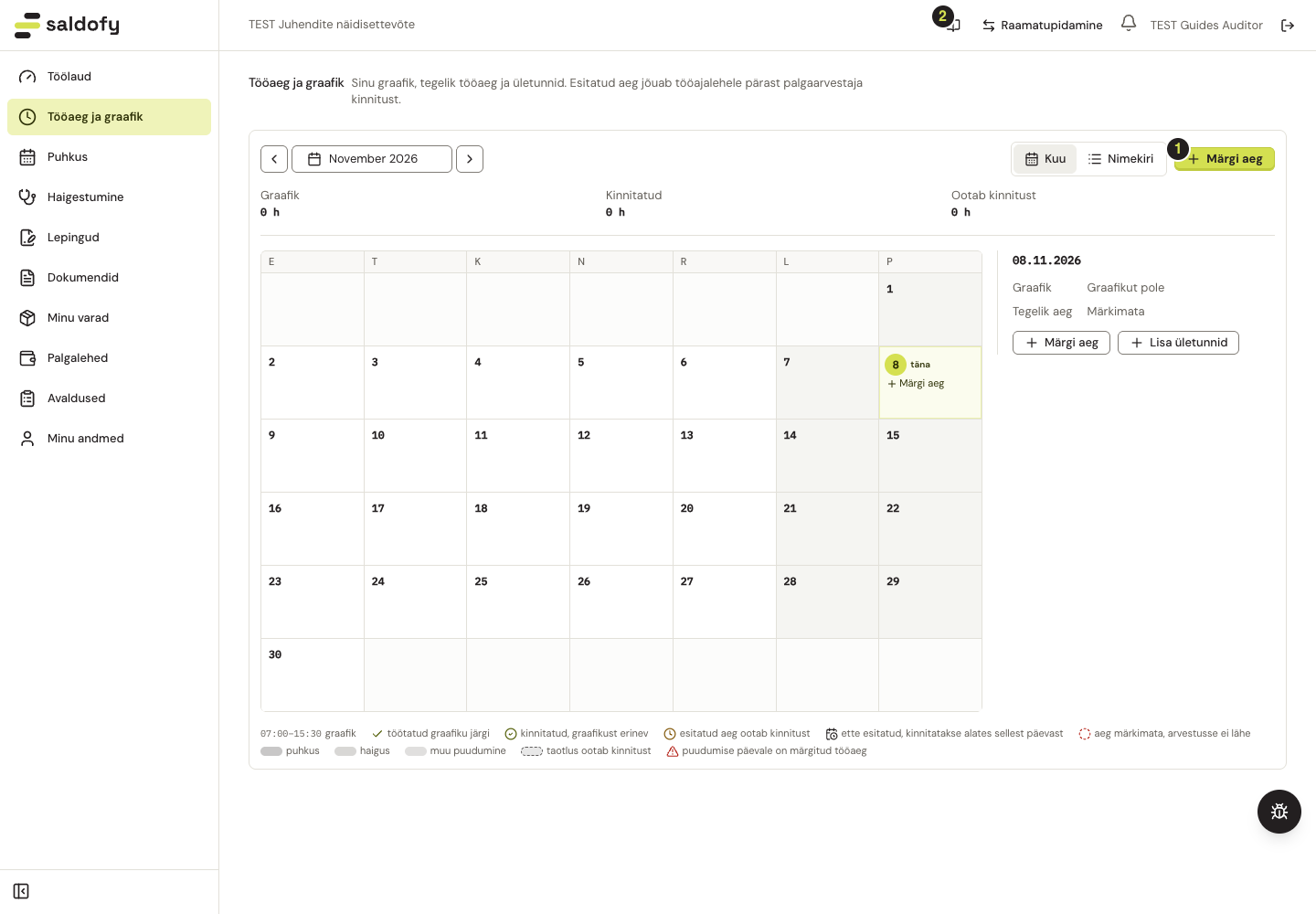
- During the month, enter absences under “Vacations & work interruptions” and approve working time on the timesheet or in the “Shift schedule”.
- Open “Payroll”, choose “Calculate a new period” and check the preview.
- Choose “Approve payroll”; with separate approval, another user approves.
- Press “Pay” on the period row and send payslips immediately or after the bank has executed the payment.
- Open “TSD declaration”, choose the month of payment, check “Payments (APA)” and finish “Monthly filing”.
Sources and further reading
- EMTA: tax rates (in Estonian)
- EMTA: applying the basic exemption (in Estonian)
- EMTA: filing the TSD return (in Estonian)
- EMTA: the TSD becomes data-based (in Estonian)
- EMTA: social tax and its minimum obligation (in Estonian)
- Riigi Teataja: regulation No 17 of the Minister of Finance on calculating social tax (in Estonian)
Related product views.

More guides.
Walk through one payroll month in Saldofy.
In a demo we go through one payroll month: approving working time, a vacation, approving payslips, the bank payment and the TSD. With a small team you can also start right away on the Free plan.