Free accounting software with a permanent plan, not just a trial.
Saldofy Free is free accounting software you can use permanently, not only during a trial period or the first year. Sales and purchase invoices, the bank, the VAT return (KMD) and the payroll tax return (TSD) are in the same browser-based program; the limits are on the number of invoices a month, the employees in payroll and the number of companies.
Free for good or only for a trial.
Free accounting software can mean two different things. One is a trial period: the program is free for a few weeks or months, after which you have to start paying or move your data out. The other is a permanent free plan that you can use for as long as your company fits within its limits. Saldofy has both: Saldofy Free is a permanent plan with no payment obligation and no end date, and the paid plans come with a trial period before you pay.
Accounting is included in full in Saldofy Free, and three volume figures set the limits: the number of sales and purchase invoices a month, the number of employees in payroll and the number of companies per account. The exact numbers are in the price list, which reads them straight from the plan settings. The Free plan has no public API, and the sales invoice PDF footer carries the line "Generated by Saldofy".
What Saldofy Free includes.
Sales and purchase invoices
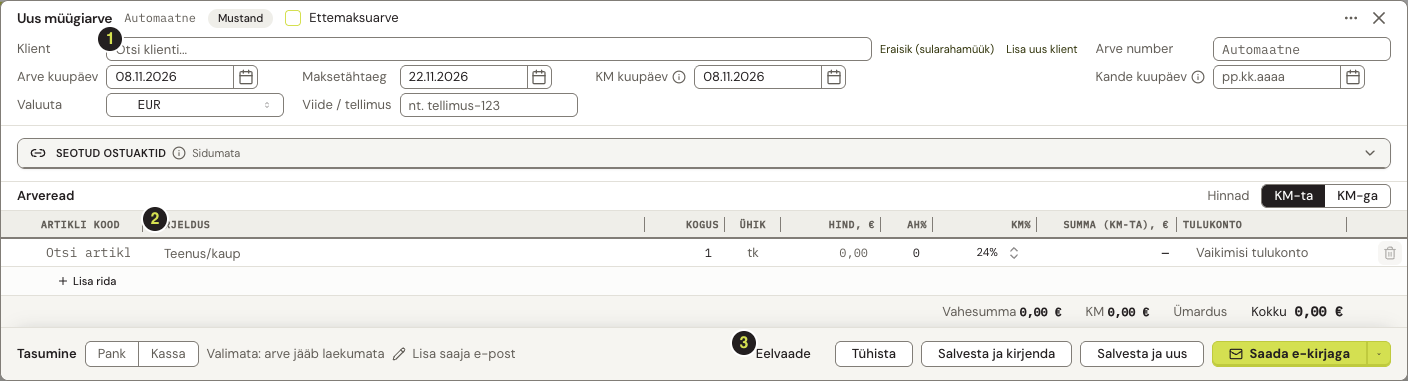
Sales invoices, credit notes and purchase invoices, the general ledger, the balance sheet and the income statement. When you post an invoice, the entry is created by itself; you do not have to pick accounts by hand.
Bank and matching
A direct connection with LHV and Coop Pank, and statements from other banks as a file. Incoming and outgoing payments are matched to invoices automatically.
KMD and TSD
The VAT return with its INF annexes and the TSD return are prepared from your data and sent to EMTA, the Estonian Tax and Customs Board, over X-tee.
E-invoices
Sending and receiving e-invoices through the e-invoice operator Telema. A supplier's e-invoice arrives among your incoming invoices without retyping.
AI invoice recognition and mobile app
AI reads the lines of a purchase invoice from a photo or a PDF. You can photograph an expense document with your phone and send it straight to Saldofy.
Payroll for a small team
Payroll is included for a limited number of employees. When you hire more people, you change plans and the payroll history stays in place.
Documents and signatures
Document management and the digital signing portal. Which methods can be used for signing depends on the company's setup.
Users
The number of users is not limited: your accountant, employees and partners each get their own user and permissions.
Saldofy Free and RIK e-arveldaja.
As of 10 November 2026. RIK e-arveldaja, run by the Estonian Centre of Registers and Information Systems (RIK), is the other common free option. Its details come from the RIK price list, the e-arveldaja home page and its help pages (sources at the end of this page). Where something was not on RIK's public pages, the table says so.

The limits of the free plan.
The Free plan has three limits. First, the number of sales and purchase invoices a month, counted by invoice date: when the monthly limit is reached, Saldofy tells you so as you create a new invoice and takes you to the plan choice. Second, the number of employees in payroll, which is checked when you add a new employment. Third, the number of companies: there is one company per account, and managing several companies is part of the paid plans.
The public API is not part of the Free plan. POS, housing associations, forestry and manufacturing are separate modules. For the exact numbers, see the price list: it shows each plan's limits from the same settings that Saldofy itself enforces.
When you outgrow the free plan.
You change plans on the Saldofy billing page. All existing invoices, entries, returns and payroll history stay in the same company: nothing is exported or imported again. Paid plans have a trial period before you pay, so you can try them at full capacity. If you do not choose a paid plan by the end of the trial, the company automatically goes back to the Free plan and the data stays in place.
With annual billing on a paid plan you pay for 10 months and get 12. The switch most often comes when there are more invoices a month, new employees join, a second company is added or a POS system is needed.
How to start for free.
Create an account and add your company. The Free plan has one company per account.
Check the chart of accounts and your VAT registration details: the VAT number (KMKR) and the registration start date.
Connect your bank: LHV and Coop Pank directly, statements from other banks as a file.
Create your first sales invoice and send it by e-mail or as an e-invoice.
Add purchase invoices: photograph them with your phone, upload a PDF or receive them as e-invoices, then check the recognised lines and post them.
Give Saldofy an authorisation in e-MTA, the tax authority's portal, and once the month is over, file the KMD over X-tee.
If you are coming from another program, choose a start date and enter the opening balances as of the day before it.
What to check when choosing free accounting software.
First ask whether free use has no end date or ends on a fixed date, and what happens to your data after that. Then check whether KMD and TSD can be sent from the program straight to EMTA, or whether you have to download a file and upload it in e-MTA. The third question is the bank: do transactions arrive by themselves, or do you have to upload a statement by hand every month?
Finally, think a year ahead. If you plan to hire staff, sell goods or use a till, check that these are available in the same program and that changing plans keeps your history. The least work comes with a program you do not have to replace a year from now.
Who the free plan suits.
A newly founded private limited company
A few sales and purchase invoices a month, a bank account and perhaps VAT. A month of bookkeeping like that usually fits within the limits of the Free plan.
A small service company
Invoices to customers, expenses and KMD. As customers are added, reaching the limit tells you by itself when it is time to change plans.
A holding or asset company
Few documents, but the annual report still has to be prepared and filed. The bank and the reports are in the same place.
A company that wants to try first
You can work through a real month without paying and later carry on in the same program.
When the free plan is not enough.
If you have more invoices a month than the Free plan allows, manage several companies with one account or need a POS system, a paid plan is the right choice from the start. The same applies to an accounting firm that keeps the books for several clients: for that there is the Saldofy Bureau plan, where the firm's staff move between client companies from the My companies page.
See also related topics.
Explore other Saldofy topics that may fit your company's workflow.

More guides
Last updated
Sources and further reading
- RIK: e-arveldaja service fee
- RIK: e-arveldaja price list (PDF)
- RIK: introduction to e-arveldaja
- E-arveldaja home page
- E-arveldaja help: TSD return
- E-arveldaja help: VAT return
- E-arveldaja help: uploaded bank statements
- E-arveldaja help: filing annual reports
- E-arveldaja help: products and services
- E-arveldaja help: authorisations
Frequently asked questions.
Yes. Saldofy Free is a permanent plan with no payment obligation and no end date. The limits are on the number of invoices a month, the employees in payroll and the number of companies, and the exact numbers are in the price list.
The trial period applies to paid plans: you can try them at full capacity before you pay. If you do not choose a paid plan by the end of the trial, the company automatically moves to the Free plan and the data stays in place. You can also end the trial early yourself by choosing Saldofy Free on the billing page.
When you create a new invoice, Saldofy tells you that the plan's monthly limit has been reached and takes you to the plan choice. Invoices are counted by invoice date, so you can create next month's invoices as usual. Invoices and entries already made stay unchanged.
Yes. The KMD and TSD returns and filing them are included in the Free plan. To send them, you give Saldofy an authorisation in e-MTA; the TSD parts that Saldofy does not prepare you add yourself in e-MTA.
Yes. Changing plans does not create a new company or require a data export. Invoices, entries, returns and payroll history stay where they are.
E-arveldaja is free for the first 12 months under a first contract. After that, the fee depends on the number of entries a month (the tiers are in the table above). A customer who only sends e-invoices to the public sector stays free of charge. As of 10 November 2026.
Yes. The number of users is not limited, so you invite your accountant into your company and give them the right permissions. For an accounting firm that keeps the books for several companies, there is the Saldofy Bureau plan.
No. The POS system is a separate paid plan, Saldofy POS, whose sales reach the same accounting. Extra tills are charged separately; the prices are in the price list.
Start with a permanently free plan.
Create an account, make your first invoice and connect your bank. When your company grows, you change plans in the same program.